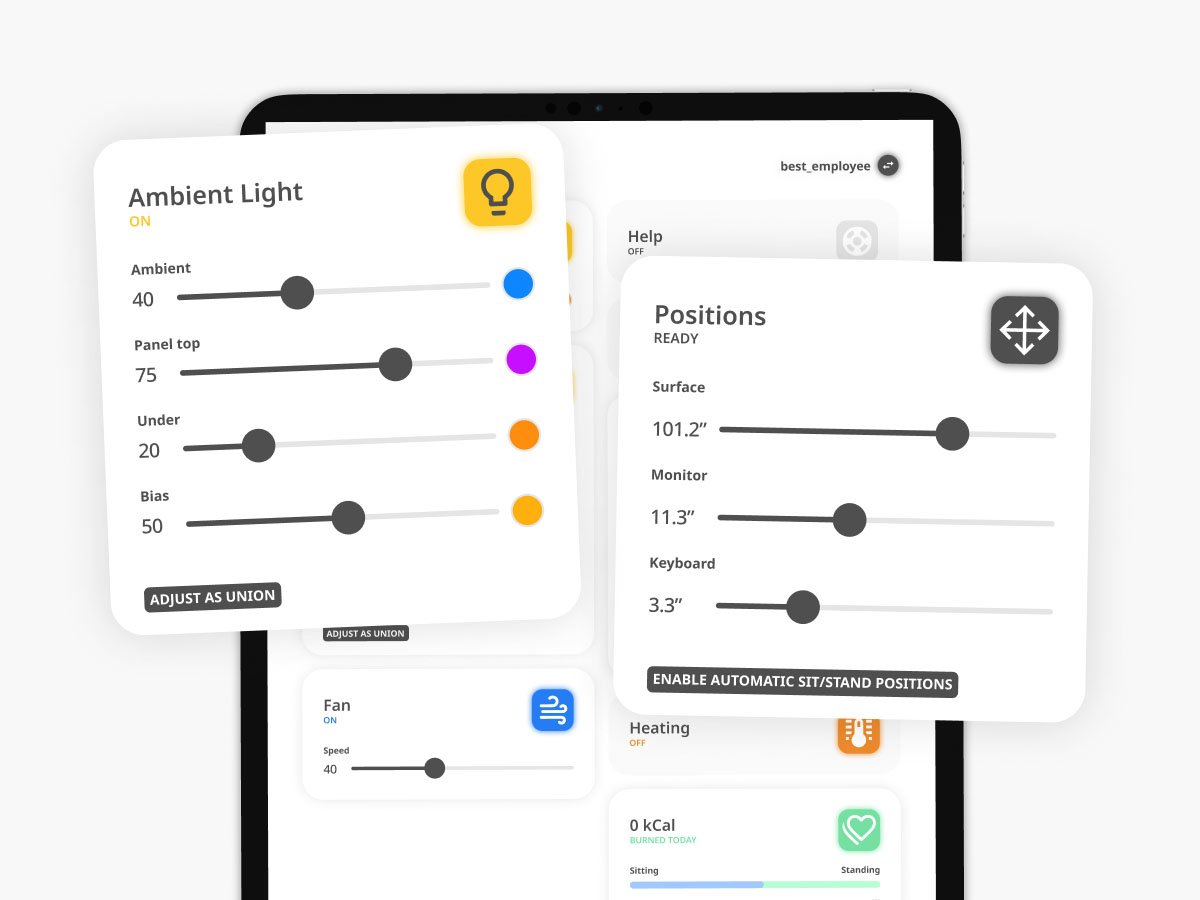
Xybix, known for creating ergonomic sit-to-stand desks and workstations tailored to mission-critical environments sought to enhance their products with a remote control app.
I collaborated with them to design concept apps for Windows 10 and tablets (iOS and Android).
The project centered around user needs for quick and easy interactions with desk controls and personalized settings for shared workstations.
Although the project was conceptual, testing generated positive feedback from users. The app successfully addressed key challenges, offering a streamlined and customizable experience.
Xybix eventually decided to develop the Android, iOS, and Windows apps.
Xybix is a company that specializes in creating innovative sit-to-stand ergonomic desks, workstations, and consoles, specifically designed for environments where performance is critical around the clock. Their products cater to the unique needs of 24/7 operations in industries such as 911 dispatch centers, hospitals, and even high-profile organizations like NASA, the CIA, and the FBI.
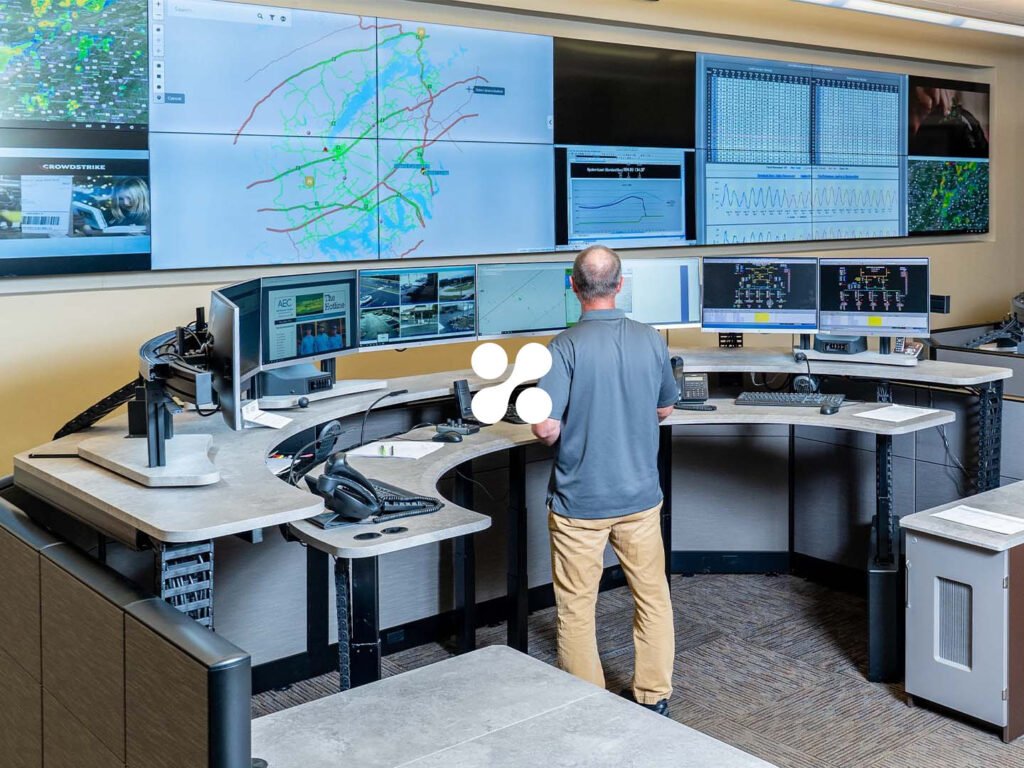
To enhance the usability and functionality of their desks, Xybix sought to develop a remote control solution. I was brought on to help them design two key applications—a Windows 10 app and a tablet app (iOS and Android) - that would allow users to control their desks remotely. The goal of this project was to streamline the user experience and offer a modern, intuitive way to adjust and customize workstation settings, enhancing both comfort and productivity for Xybix’s customers.
Learning about Xybix’s customers made it clear that the users needed more than just a typical ergonomic desk. They required a streamlined, intuitive way to control their desks quickly and efficiently without disrupting their workflow. This was a key priority for the app design.
One major user requirement was the ability to easily control the desk's height and other features, such as built-in lights and heating or cooling settings, especially during hectic shifts. Beyond that, the ability to quickly call for a supervisor directly from the desk was a crucial feature for many, allowing for immediate assistance or guidance when needed. The desk can even use color as a communication tool - request help or as a staff segmentation tool - team roles.
Because these desks are often shared by multiple people across various shifts, the app needed to accommodate seamless transitions. Customizable settings are an essential feature, allowing users to save their preferences for height, temperature, and lighting, so they could instantly set up the desk to their liking when they began their shift.
To meet the specific needs of Xybix's users, I focused on creating an intuitive, user-friendly interface for both touch and non-touch devices. The goal was to ensure that users could easily access the most important desk controls, whether they were using the app on a tablet or a traditional computer.
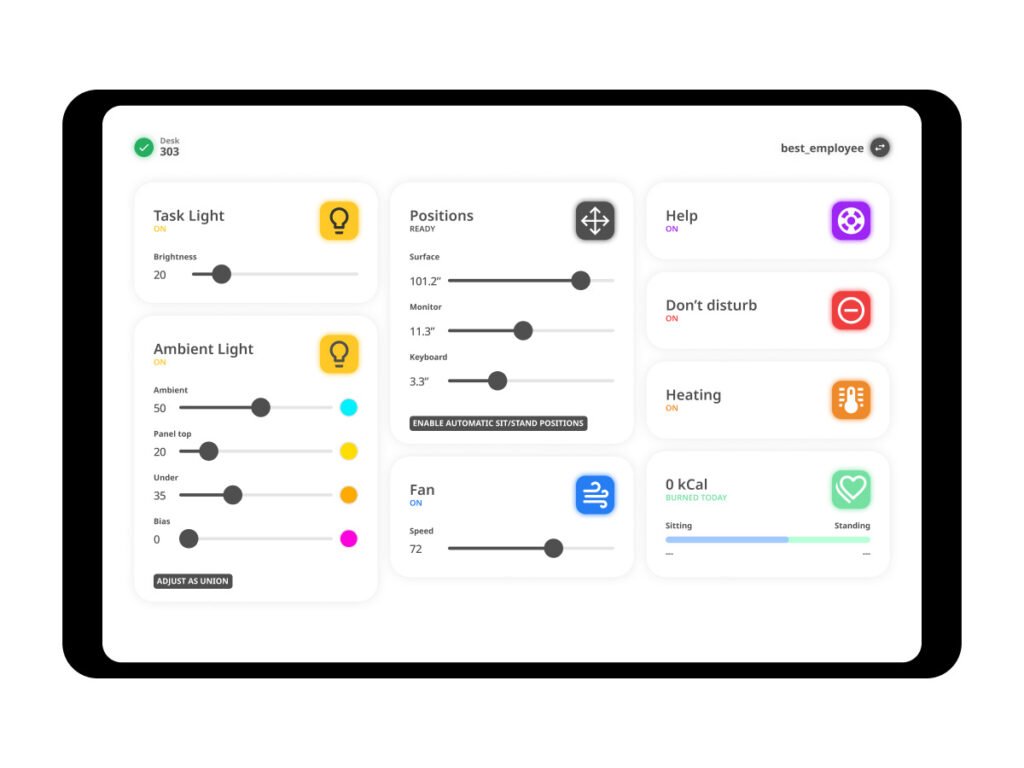
For touchscreen devices, minimizing vertical scrolling was a priority. In mission-critical environments where every second counts, users shouldn’t have to waste time scrolling through menus to find basic functions. Therefore, the main controls view was designed to display all key features without the need for scrolling or with minimal scrolling at most. This layout allowed users to adjust desk settings quickly and efficiently with just a tap.
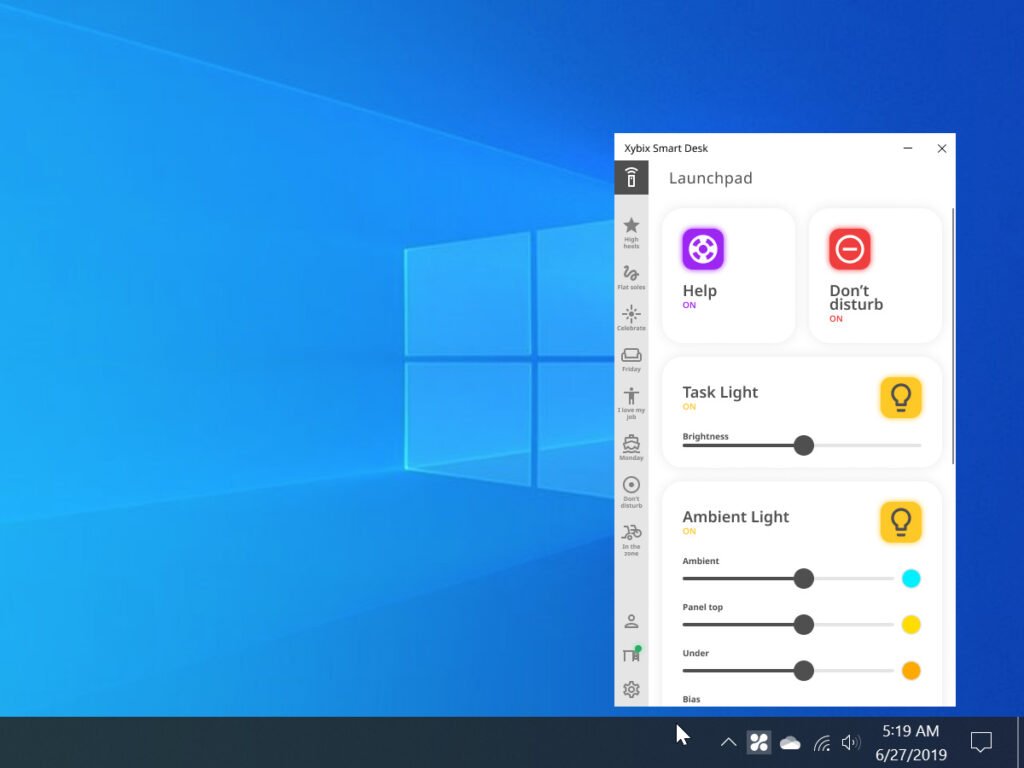
For non-touch devices, where mouse and keyboard interaction is more common, vertical scrolling was acceptable. However, I ensured that the most important functions appeared prominently in the first row of the main controls view. This made sure that even on larger screens, users could access the primary features with minimal navigation.
Two critical features - "Do Not Disturb" and "Help" - were given permanent places in the interface for easy access.
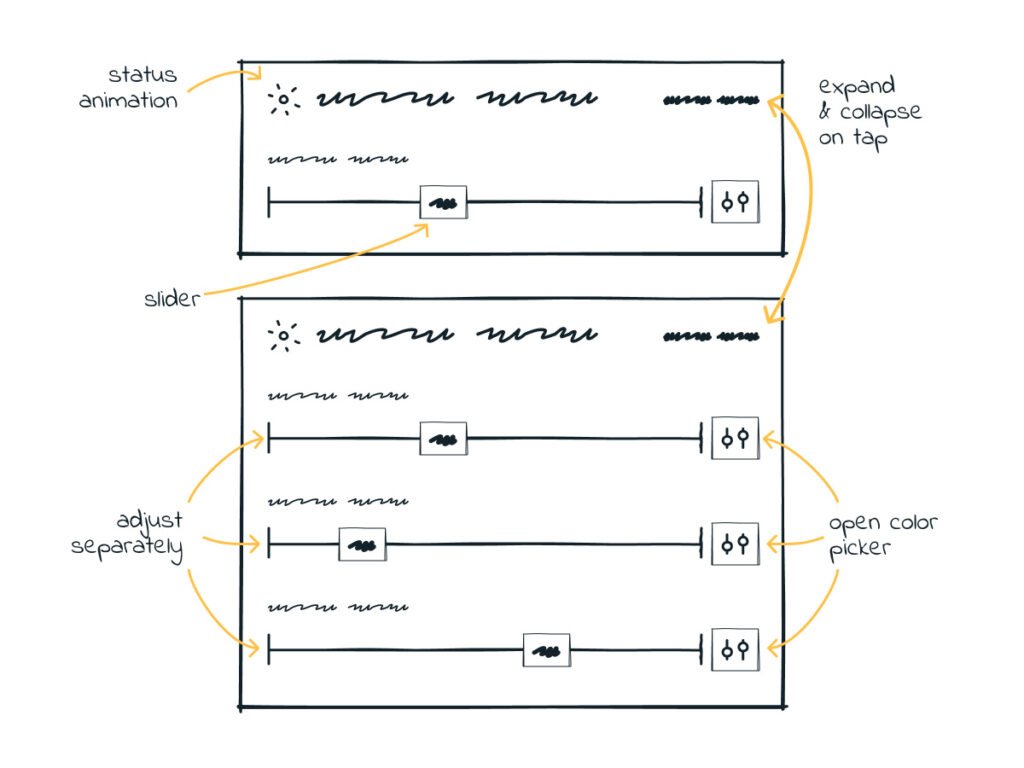
To streamline turning features on and off, I implemented a simple tap-based interaction. Users could easily toggle desk functions like lighting or heating with a single tap, creating a more efficient and responsive experience. For more detailed adjustments, such as fine-tuning the desk height or light intensity, I opted for sliders, which provided smooth, precise control.
This solution balanced simplicity with functionality, ensuring that Xybix’s users could stay focused on their tasks while enjoying a fully customizable and responsive desk experience.
Personalization was a key focus in designing the Xybix app, as users working in high-pressure environments benefit greatly from having their own preferences instantly available.
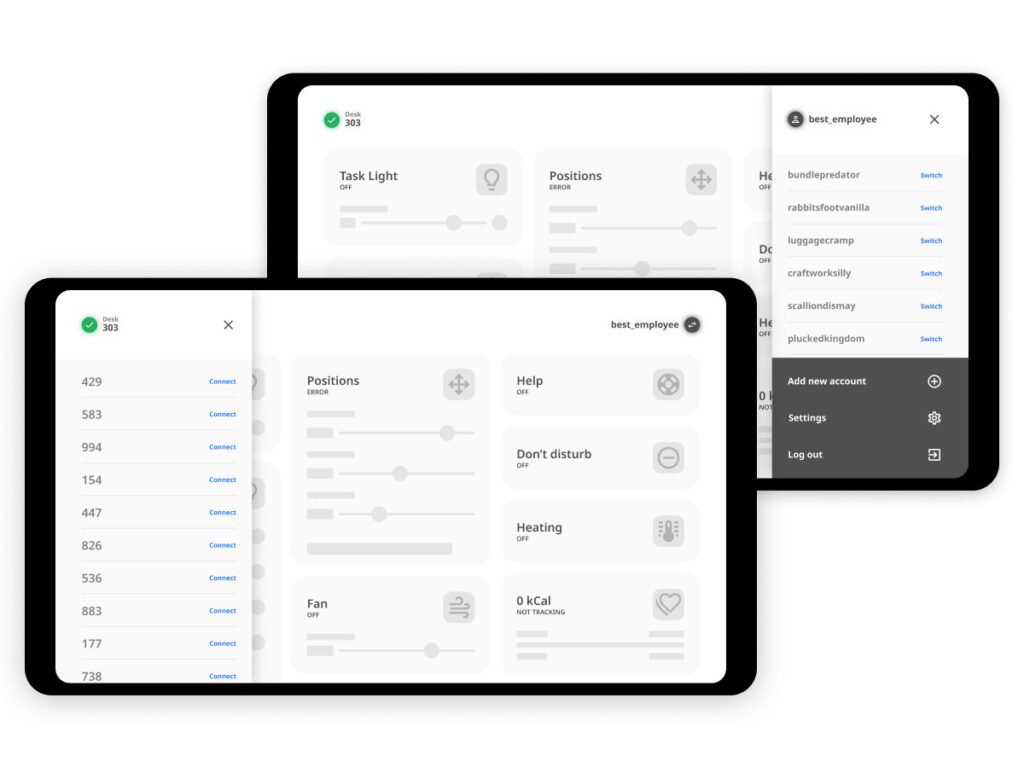
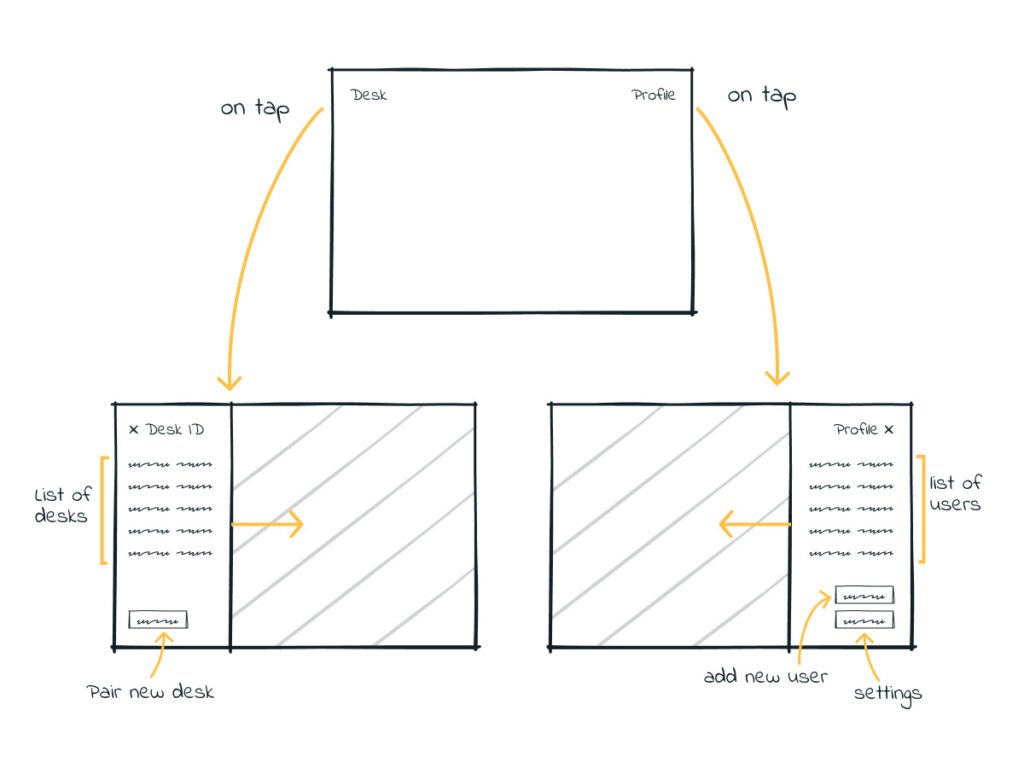
Each user could create a personal account to store their preferences, with a focus on keeping the login process simple and quick. Instead of lengthy email-based accounts, we opted for simple usernames and 4-digit PIN passwords, making it faster to access their settings, especially during busy shifts.
I've made it easy to switch accounts on the device. When a user logged in, the desk would automatically update to their saved configuration. This was especially helpful in shared workstations where multiple people use the same desk during different shifts. Alternatively, users could bring their own device (such as a tablet) to connect and instantly apply their settings to any compatible Xybix desk, making the transition between workspaces seamless.
One of the standout features was the ability to create Scenes, which are preset configurations that control the desk as a whole. With just a tap, users could adjust multiple elements—such as lighting, desk height, cooling, and heating—based on their personal preferences. This meant they could seamlessly switch between different work modes, such as sitting, standing, focus - without having to manually adjust each setting.
In addition to Scenes, users had the option to save desk heights, allowing them to quickly switch between their preferred postures with the press of a button. This eliminated the need for repetitive manual adjustments, saving time and improving comfort.
This level of customization ensured that each user could have a desk experience tailored specifically to them.
As a concept project, the Xybix smart desk app was not fully implemented, but the initial development and testing phases yielded promising results. The prototype addressed the key challenges outlined in the project, offering users an intuitive and efficient way to control their desks remotely.
During testing, we received positive feedback from users, particularly around the ease of use and customization options. The feedback confirmed that we successfully solved the core issues we set out to address.
Xybix eventually decided to develop the Android, iOS, and Windows apps.
Let's meet and discuss it